
Amphora City Building Board Game Card Template
by ShuffleKit
A city-building board game card set painted in watercolour, with Sanctum, Terrace, Bazaar, Grove and Bulwark fronts and a shared back, cut to poker size and print-ready. Each district is a painted view in a rounded window on warm cream paper, under a coloured banner carrying its name, with a hexagonal ward plaque straddling the foot of the window, the materials it costs in a row below, the scoring rule under a divider and a Greek key along the bottom edge. Every part of the frame is an editable shape, so the banner, the keylines and the plaque are fills you can recolour, and the ward you type on a card picks its front. Comes with a ten-card sample deck of invented Mediterranean districts.
- Designs
- 6
- Sample cards
- 10
- Card size
- Poker — 2.5 × 3.5 in
- 63.5 × 88.9 mm · 750 × 1050 px at 300 DPI
- Card fields
- Name
- Artwork
- Subtitle
- Cost
- Description
- Traits
Adding a template copies its designs, fields, and sample cards into your own project. Your copy is yours, and later changes by the author never touch it.
Part of board game card templates
What’s in Amphora City Building Board Game Card Template
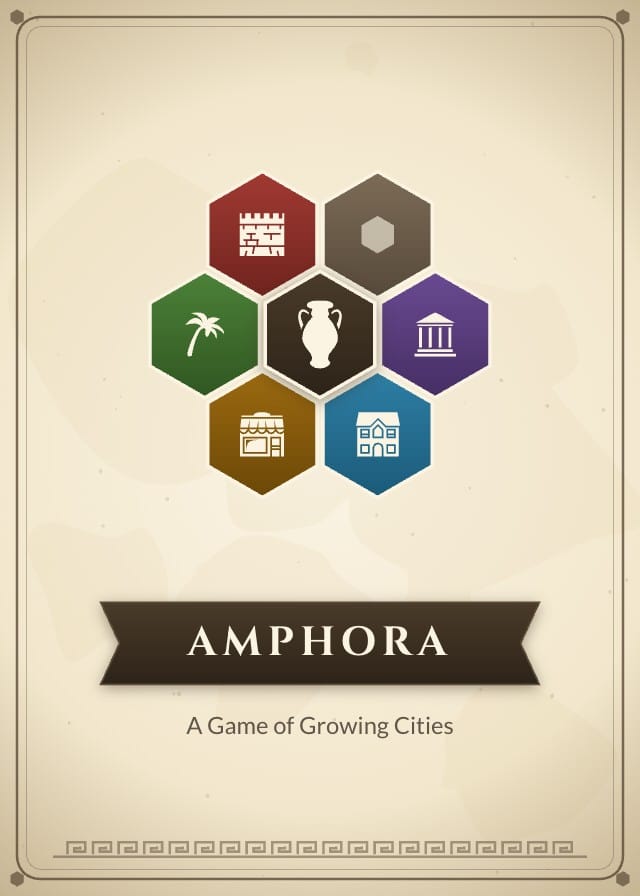
Six designs: Sanctum District Card, Terrace District Card, Bazaar District Card, Grove District Card, Bulwark District Card and Card Back.
Your cards live in a sheet, one row each, with a column for every field the designs read: Name, Artwork, Subtitle, Cost, Description and Traits. Ten of those rows arrive filled in, so there is something on the design before you type a word.
Read the ten sample cards
| Name | Subtitle | Description | Traits |
|---|---|---|---|
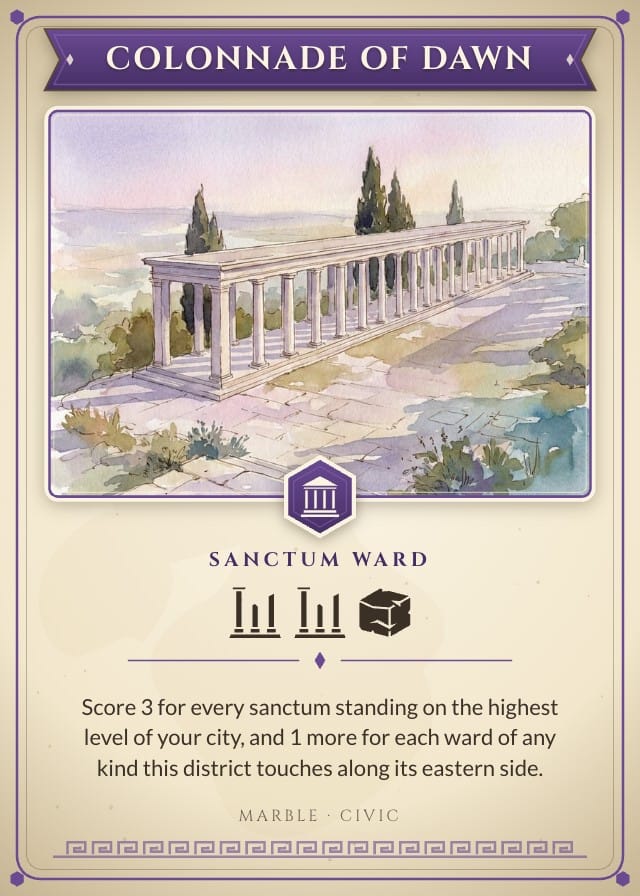
| Colonnade of Dawn | Sanctum Ward | Score 3 for every sanctum standing on the highest level of your city, and 1 more for each ward of any kind this district touches along its eastern side. | Marble · Civic |
| Hall of Vows | Sanctum Ward | Score 2 for each pair of sanctums you have built side by side anywhere in the city, and 4 more if none of those pairs sits on the ground level. | Marble · Quiet |
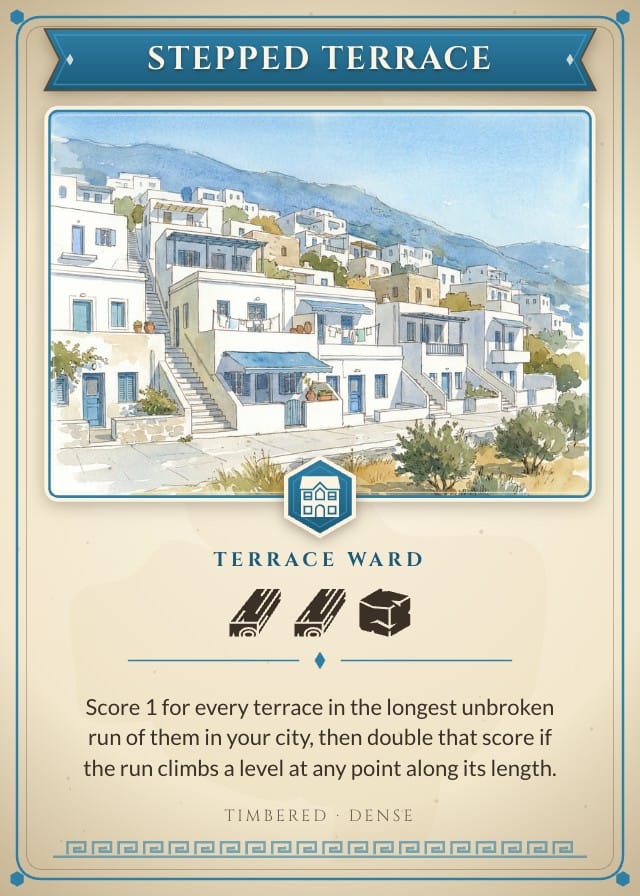
| Stepped Terrace | Terrace Ward | Score 1 for every terrace in the longest unbroken run of them in your city, then double that score if the run climbs a level at any point along its length. | Timbered · Dense |
| Cistern Row | Terrace Ward | Score 2 for each terrace that touches this district, and 3 more for every terrace in your city that touches no grove at all when the game ends. | Stonework · Shared |
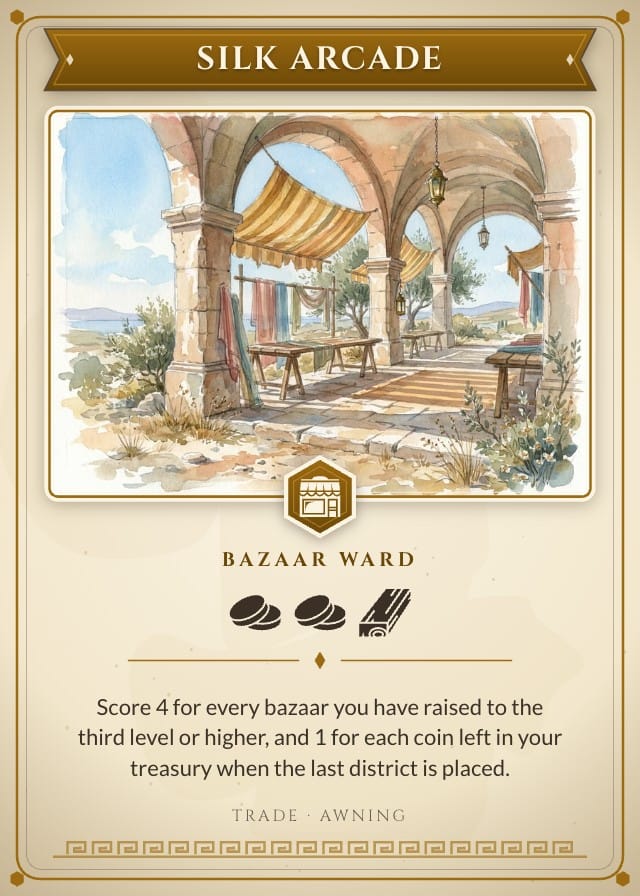
| Silk Arcade | Bazaar Ward | Score 4 for every bazaar you have raised to the third level or higher, and 1 for each coin left in your treasury when the last district is placed. | Trade · Awning |
| Spice Landing | Bazaar Ward | Score 3 for each bazaar of yours that touches the edge of the board, and 2 more for every one of them that also touches a terrace on any side. | Trade · Harbour |
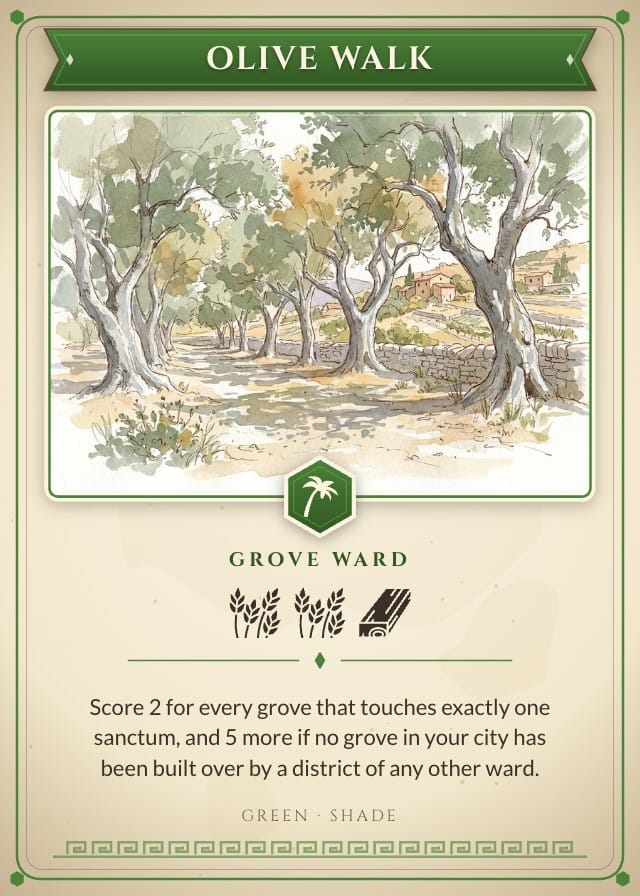
| Olive Walk | Grove Ward | Score 2 for every grove that touches exactly one sanctum, and 5 more if no grove in your city has been built over by a district of any other ward. | Green · Shade |
| Hanging Court | Grove Ward | Score 1 for every level below this district, counting the ground as none, and then score that number again for each grove built beside this one. | Green · Raised |
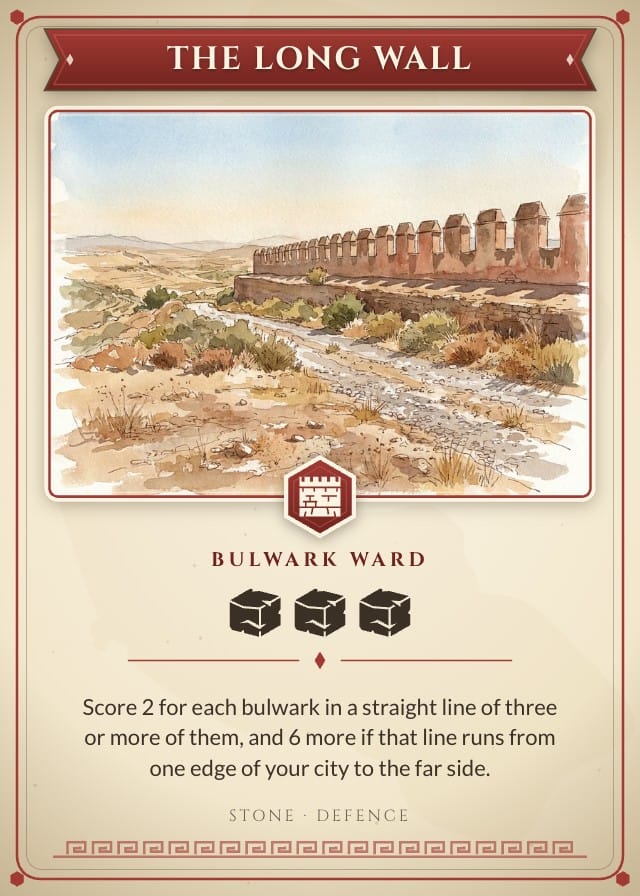
| The Long Wall | Bulwark Ward | Score 2 for each bulwark in a straight line of three or more of them, and 6 more if that line runs from one edge of your city to the far side. | Stone · Defence |
| Gate of Stags | Bulwark Ward | Score 3 for every ward of a different kind that touches this district, and lose 2 for each side of it left open to the country beyond your walls. | Stone · Gateway |
Printing at poker size
Poker: 2.5 × 3.5 in, 63.5 × 88.9 mm, 750 × 1050 pixels at 300 DPI.
On the Hobby plan, export a print-ready PDF with bleed and cut lines. PNG and SVG come out at the same size, which is what Tabletop Simulator wants. On Indie, send it to a print-on-demand partner through Print & Ship.
A printer asks for an eighth of an inch of bleed on every edge on top of those numbers, so this card goes out as 825 × 1125. The export adds it. Let the artwork run into the bleed and keep the text inside the cut line, and nothing arrives trimmed.
More board game card templates
All board game card templates
Questions about Amphora City Building Board Game Card Template
Everything you need to know before getting started.
Still have questions? Contact us
What happens when I add Amphora City Building Board Game Card Template to a project?
The six designs, the six fields and the ten sample cards are copied into a project of yours, with the fields already pointed at the design. Nothing stays linked to this page afterwards, so the author's later edits never reach your copy.
What size does Amphora City Building Board Game Card Template print at?
Poker size: 2.5 × 3.5 in, 63.5 × 88.9 mm, 750 × 1050 pixels at 300 DPI. Those are the numbers to hand a print shop, and the ones to check a sleeve against.
Is Amphora City Building Board Game Card Template free?
Yes. Adding it, editing it, filling it with your own cards and playtesting it online are all free. Exporting print files starts on the Hobby plan, and Print & Ship through The Game Crafter is on Indie. No template sits behind a paid plan.
Can I change the designs?
Yes. They land in your project as ordinary layouts, so you can drag an element somewhere else, put your own art behind the frame, restyle the type or rename a field. Edit a design once and every card on it follows.
Can I use my own cards instead of the samples?
Yes — the samples are rows in a sheet, and they are there to be overwritten. Type over them, add rows of your own, or bring a CSV and match its headers to the fields.
Can I sell a game made with Amphora City Building Board Game Card Template?
Yes. This one is ours, and you keep commercial rights to what you build from it, crowdfunding and retail included.
Ready to build your card game?
This template is free, and so is the editor it opens in.