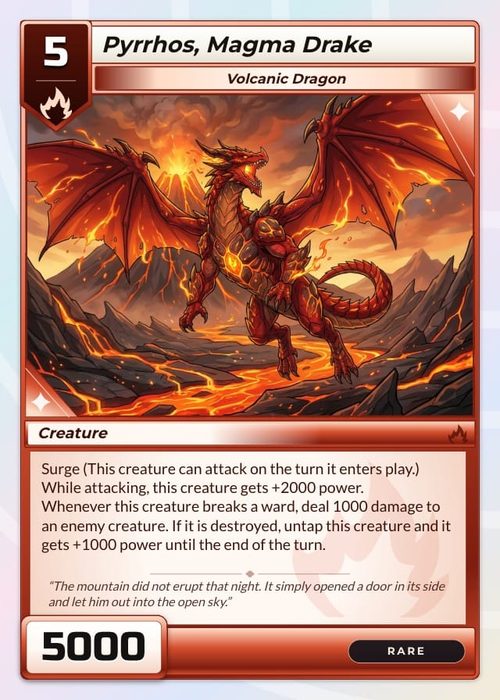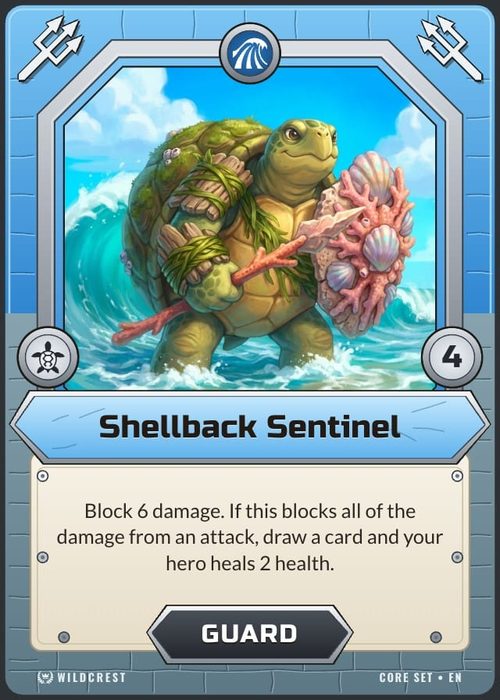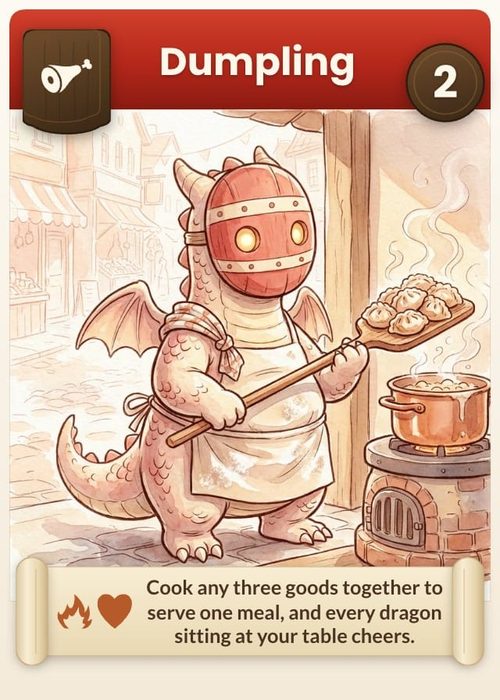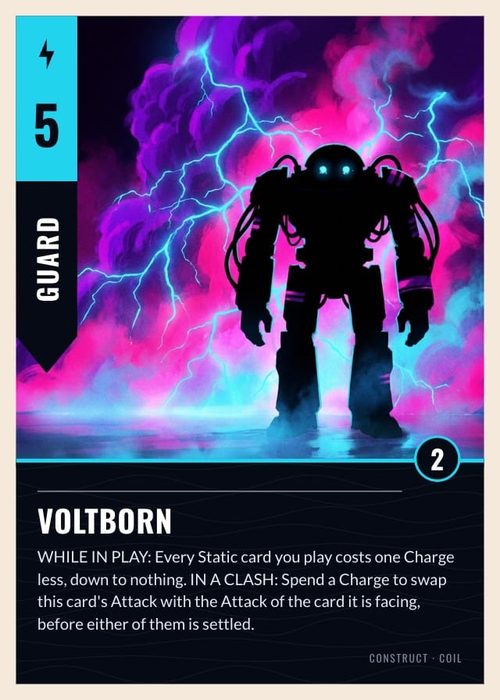
So you've got a card game idea rattling around in your head. Maybe you played something at a friend's house and thought, "I could make my own version of this." Maybe you've been sketching mechanics on napkins for months. Either way, you're ready to bring it to life, and this guide will show you exactly how.
This post walks you through the three stages of prototyping a tabletop card game, from hand-drawn cards to a manufacturer-ready print. Along the way, you'll learn the mistakes that can cost you months, the shortcuts that actually work, and how to get your game to the table as fast as possible.
Prototyping Comes First
Before you worry about artwork, Kickstarter campaigns, or publisher pitches, you need a playable prototype. It's the single most important step in card game design because it lets you test whether your mechanics actually work. Not just in theory, but with real people shuffling real cards.
The goal isn't perfection. It's speed. The faster you can get a prototype to the table, the faster you'll learn what works, what doesn't, and what needs to change.
Stage 1: The Hand-Drawn Prototype
The simplest way to start is with blank playing cards and a pack of coloured pens. You can pick up a deck of 60 blank cards on Amazon for around £3.29, and you can grab multiple packs if your game needs a bigger deck.
From there, you draw directly on the cards. Your mechanics, icons, text, whatever your game needs. It's low-cost, requires no tech, and gets a deck in your hands the same day.
The Mistake That Costs You Months
Drawing on the backs of the cards. Here's why: if every card back looks even slightly different (a thicker line here, a smudge there) players will start recognising individual cards by their backs. It completely undermines the gameplay, and you won't get honest feedback on whether your mechanics actually work.
Even beyond the backs, hand-drawing every card is incredibly time-consuming. If you're using a ruler to get clean lines and trying to make each card look professional, you're looking at hours of work for a single deck. And every time you want to change a mechanic or tweak a card? You're redrawing the whole thing.
This stage is useful for a quick-and-dirty first draft, but don't stay here too long. In some cases, it can set your development back by six months or more just from the sheer time spent drawing, redrawing, and re-testing.
When Hand-Drawing Works
- You don't have access to a printer
- You just need a rough sketch to test one specific mechanic
- You're brainstorming and want something physical to hold immediately
Stage 2: The Print-and-Sleeve Prototype
This is where things get significantly faster, and it's the stage that will save you the most time overall. Here's what you need:
- A home printer (more on this below)
- Standard playing cards (any cheap deck will do)
- Plastic card sleeves (around £2 for a pack of 50-100)
- A design tool like Canva, Google Slides, or ShuffleKit if you want something card-specific
The method is simple. You design your card on a computer, print it on regular paper, cut it to size, and slide it into a plastic sleeve along with a real playing card for weight and feel. For the card back, you print a full sheet of your back design and cut those to size as well.
Speed Is the Whole Point
The magic here is iteration speed. Need to change a card? Open your design file, tweak a number or swap some text, hit print, and slide it into the sleeve. You can have a revised card on the table in minutes instead of an entire evening with the hand-drawn approach.
This matters more than you might think. As you playtest, you'll want to make frequent, small changes. A card might need a different cost value, or you'll want to add a small icon in the corner because you noticed players struggle to see key information while holding a hand of cards. With the sleeve method, these iterations are almost instant.
Saving on Ink
Printer ink is notoriously expensive, and when you're printing colourful card designs over and over, it adds up fast. Some retailers offer subscription-based ink plans that give you several months of unlimited printing for a very low cost. The ink is shipped to your door automatically as you run low, so you never have to stop mid-prototype to buy more. It's worth looking into if you plan on doing a lot of test printing.
Presentation Matters for Playtesting
One underrated benefit of printed prototypes is how much better they go over with playtesters, especially casual ones. If you're taking your game to a pub or a café and asking friends or strangers to try it, a cleaner-looking prototype gets way more engagement. People who aren't board game designers or experienced playtesters tend to respond better to something that looks polished, even if it's still a work in progress.
Stage 3: The Manufacturer Test Print
Once you've refined your game through multiple rounds of playtesting with your print-and-sleeve prototype, it's time to level up to a professional test print. This means working with an actual card game manufacturer to produce a small print run of your game.
This stage changes everything. The card stock feels real. The colours are vibrant. The finish is professional. And most importantly, the entire experience of playing the game is elevated, which has a real effect on both your own inspiration and the quality of feedback you receive.
What You Get From a Test Print
- Colour accuracy: What looks good on your home printer will look different on a manufacturer's press. Getting a test print lets you catch colour issues early.
- Inspiration boost: There's something about holding a professionally printed version of your game that reignites your creativity. You'll notice things you want to tweak and improvements you hadn't considered.
- Publisher-ready: If you're pitching to publishers, a manufacturer test print shows you're serious. It's a tangible product they can hold, shuffle, and play, not a stack of paper in plastic sleeves.
How Many Cards Should You Start With?
This is one of the most common questions from first-time designers, and the answer is simpler than you'd expect: start with the absolute minimum needed to play one full round.
For most games, that's somewhere between 20 and 40 cards. Enough to have variety, but not so many that you spend a week making cards before you even test if the game works. If your game has multiple card types (creatures, spells, items, etc.) try to include at least three or four of each type so you can see how they interact.
You can always add more cards later. What you can't do is un-waste the hours you spent designing 200 cards for a mechanic that turns out to be boring after the first playtest.
A good rule of thumb: if you wouldn't be upset about throwing the entire deck in the bin and starting over, you've got the right amount.
Choosing the Right Design Tools
You don't need expensive software to design card games. Here are some accessible options at every level:
- Free: Canva, Google Slides, GIMP
- Mid-range: Affinity Designer, Affinity Photo
- Professional: Adobe Photoshop, Adobe Illustrator, InDesign
- Card game specific: ShuffleKit — handles card templates, playtesting, and manufacturer export in one place
For most indie card game designers, a free tool like Canva is more than enough to get through the first two prototyping stages. You only really need professional design software when you're preparing final artwork for manufacturing.
Common Mistakes to Avoid
Spending too long on Stage 1. Hand-drawn prototypes are a starting point, not a destination. Move to the print-and-sleeve method as soon as you can.
Neglecting the card backs. Inconsistent card backs ruin blind playtesting. Always make sure the backs are uniform. This is much easier with printed designs than hand-drawn ones.
Skipping playtesting. Your game will change dramatically once other people play it. Mechanics that seem brilliant in your head might fall flat at the table, and playtesters will surface issues you'd never catch on your own.
Waiting too long to get a manufacturer test print. You don't need a "finished" game to order a test print. Getting one earlier in the process can actually accelerate your development by giving you a more realistic sense of the final product.
What Comes Next
Designing the cards and building prototypes is only one piece of the puzzle. Playtesting, building an audience, and preparing for a Kickstarter launch are equally important, and each deserves its own deep dive.
If you're in the early stages of making your own card game, the best thing you can do right now is get something to the table and start playing. Don't wait for the perfect design. Don't obsess over artwork. Just get cards in hand, find someone to play with, and start learning what your game actually is.
The journey from idea to finished product is one of the most rewarding creative experiences out there. It's social, it's fun, and every single playtest teaches you something new.