
Grainholt Ludo Board Template
by ShuffleKit
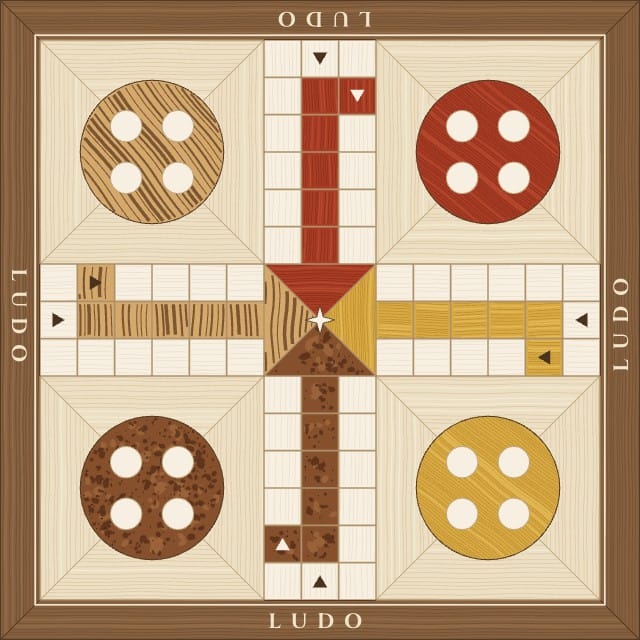
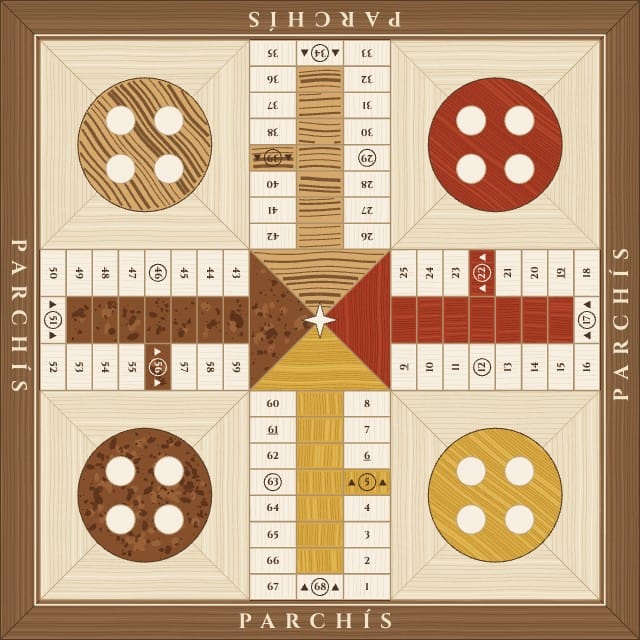
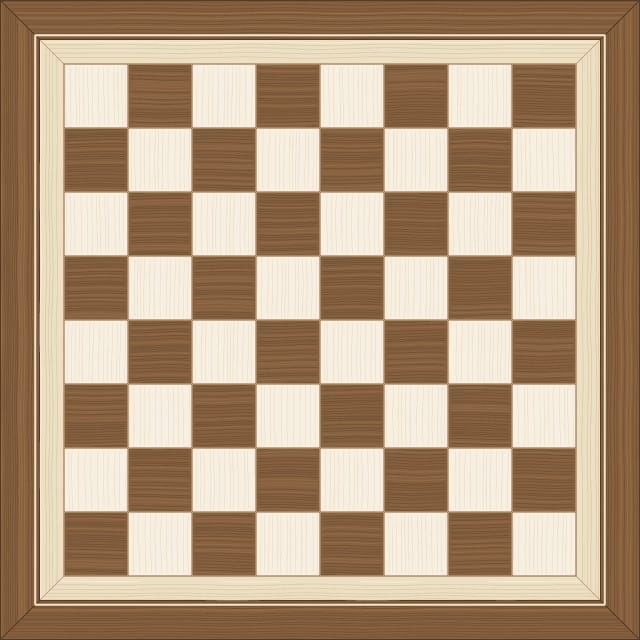
Two printable ludo boards at 8 × 8 inches in wood marquetry, with a walnut frame round an ash field and a home lane and nest in each of four woods (zebrawood, padauk, burl and yellowheart): classic Ludo, a cross of 52 squares with arrowed starts and five-square home lanes, and Spanish Parchís, 68 numbered squares wide enough for a blockade, twelve ringed safe squares and seven-square home lanes. The back is a marquetry chessboard, so a printed board turns over for chess or draughts. Each board's name is inlaid in the frame on all four sides as text you can retype, and the Board Type column picks which board a row gets. Comes with two sample boards, one of each.
- Designs
- 3
- Sample boards
- 2
- Board size
- Square Board — 8 × 8 in
- 203.2 × 203.2 mm · 2400 × 2400 px at 300 DPI
- Board fields
- Name
- Board Type
Adding a template copies its designs, fields, and sample boards into your own project. Your copy is yours, and later changes by the author never touch it.
Part of game board templates
What’s in Grainholt Ludo Board Template
Three designs: Ludo, Parchís and Grainholt Back.
Your boards live in a sheet, one row each, with a column for every field the designs read: Name and Board Type. Two of those rows arrive filled in, so there is something on the design before you type a word.
Printing at square board size
Square Board: 8 × 8 in, 203.2 × 203.2 mm, 2400 × 2400 pixels at 300 DPI.
On the Hobby plan, export a print-ready PDF with bleed and cut lines. PNG and SVG come out at the same size, which is what Tabletop Simulator wants. On Indie, send it to a print-on-demand partner through Print & Ship.
A printer asks for an eighth of an inch of bleed on every edge on top of those numbers, so this board goes out as 2475 × 2475. The export adds it. Let the artwork run into the bleed and keep the text inside the cut line, and nothing arrives trimmed.
Questions about Grainholt Ludo Board Template
Everything you need to know before getting started.
Still have questions? Contact us
What happens when I add Grainholt Ludo Board Template to a project?
The three designs, the two fields and the two sample boards are copied into a project of yours, with the fields already pointed at the design. Nothing stays linked to this page afterwards, so the author's later edits never reach your copy.
What size does Grainholt Ludo Board Template print at?
Square Board size: 8 × 8 in, 203.2 × 203.2 mm, 2400 × 2400 pixels at 300 DPI. Those are the numbers to hand a print shop, and the ones to check a sleeve against.
Is Grainholt Ludo Board Template free?
Yes. Adding it, editing it, filling it with your own cards and playtesting it online are all free. Exporting print files starts on the Hobby plan, and Print & Ship through The Game Crafter is on Indie. No template sits behind a paid plan.
Can I change the designs?
Yes. They land in your project as ordinary layouts, so you can drag an element somewhere else, put your own art behind the frame, restyle the type or rename a field. Edit a design once and every board on it follows.
Can I use my own boards instead of the samples?
Yes — the samples are rows in a sheet, and they are there to be overwritten. Type over them, add rows of your own, or bring a CSV and match its headers to the fields.
Can I sell a game made with Grainholt Ludo Board Template?
Yes. This one is ours, and you keep commercial rights to what you build from it, crowdfunding and retail included.
Ready to build your card game?
This template is free, and so is the editor it opens in.