
Whiskerton Character Card Template
by ShuffleKit
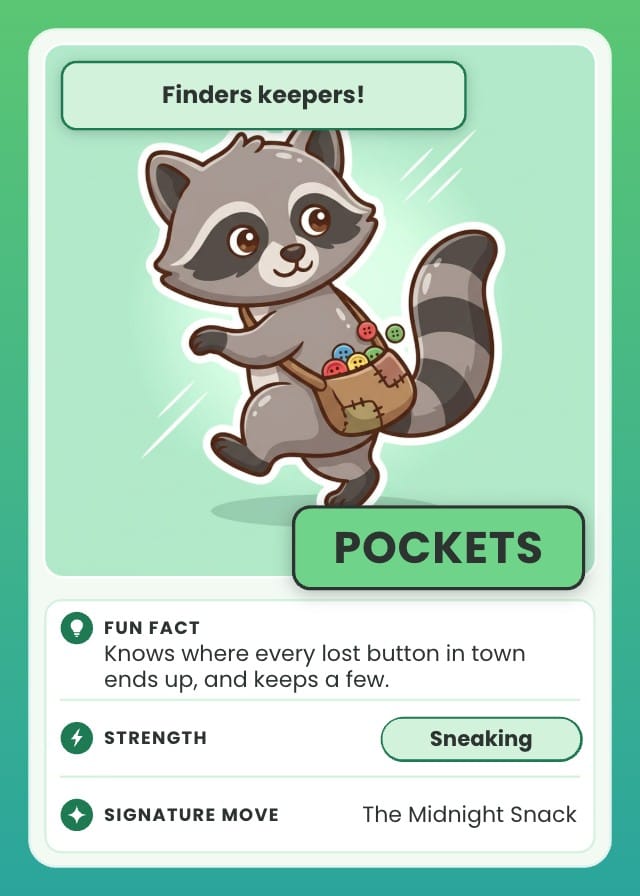
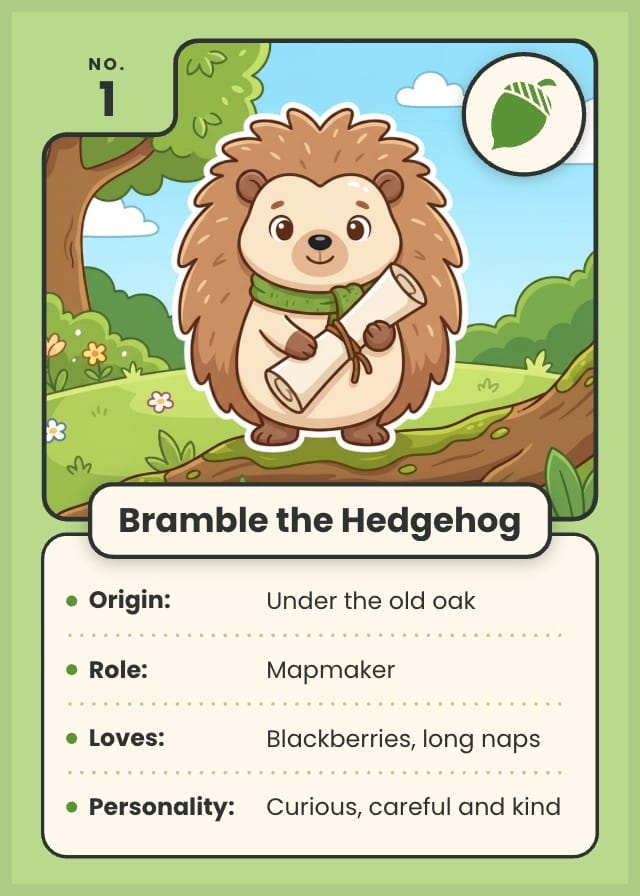
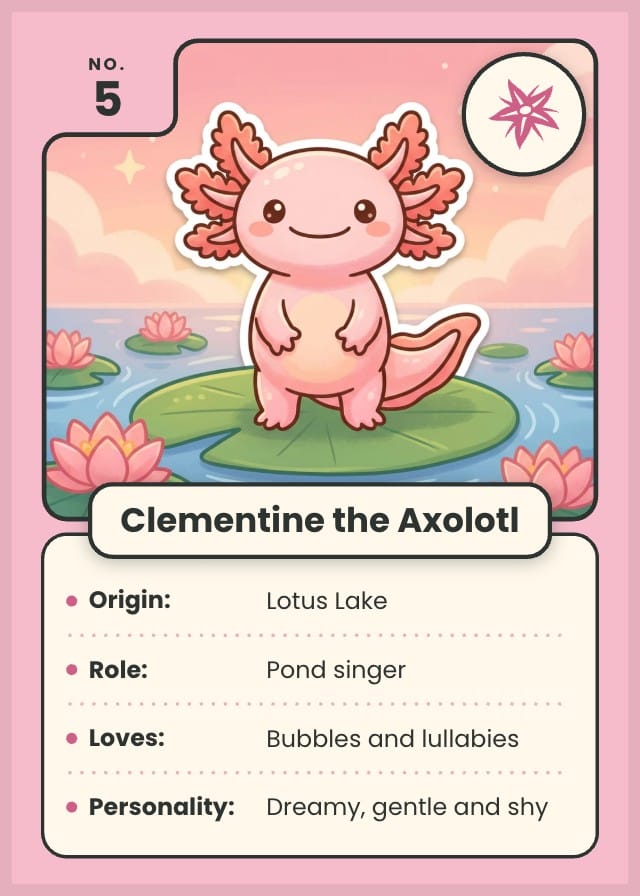
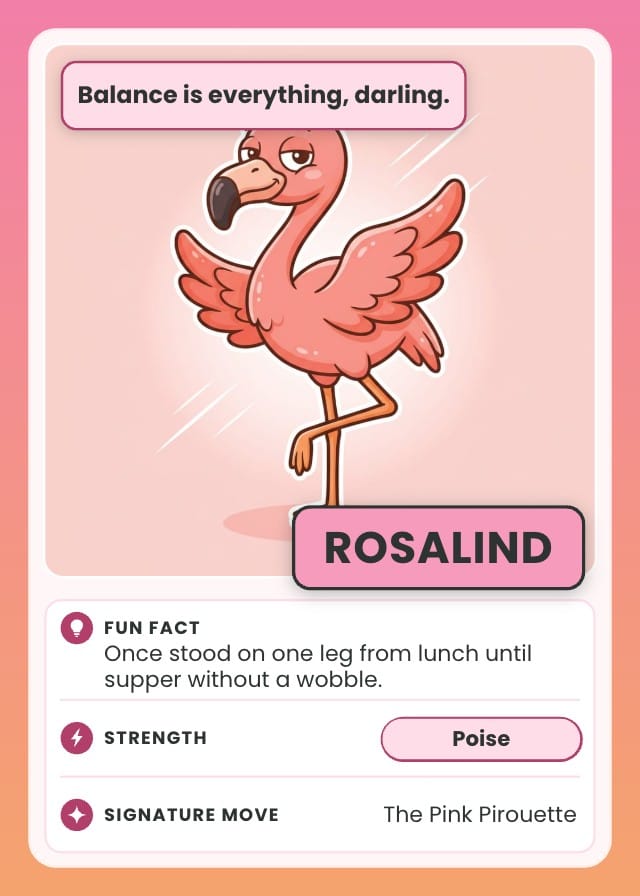
A free character card template for one character at a time: fill in the facts, add a picture, then print it or share it. The Profile card puts the card's number in the corner, the character's emblem in a round badge, the name on a banner and four facts underneath, Origin, Role, Loves and Personality. The Fact File puts a quote on a tag over the picture, the name in big capitals, and three rows for a fun fact, a strength and a signature move. Each comes in a green Meadow and a pink Blossom colourway, picked per card. The labels are part of the design, so an OC card that asks for species and age instead is one edit away. Comes with twelve sample cards of original animal characters, among them a hedgehog mapmaker, a snail postmaster, a sneaky raccoon and a flamingo who never wobbles.
- Designs
- 5
- Sample cards
- 12
- Card size
- Poker — 2.5 × 3.5 in
- 63.5 × 88.9 mm · 750 × 1050 px at 300 DPI
- Card fields
- Name
- Number
- Artwork
- Emblem
- Origin
- Role
- Loves
- Personality
- Quote
- Fun Fact
- Strength
- Signature Move
- Colour
Adding a template copies its designs, fields, and sample cards into your own project. Your copy is yours, and later changes by the author never touch it.
What’s in Whiskerton Character Card Template
Five designs: Profile Card, Profile Card (Blossom), Fact File, Fact File (Blossom) and Card Back.
Your cards live in a sheet, one row each, with a column for every field the designs read: Name, Number, Artwork, Emblem, Origin, Role, Loves, Personality, Quote, Fun Fact, Strength, Signature Move and Colour. Twelve of those rows arrive filled in, so there is something on the design before you type a word.
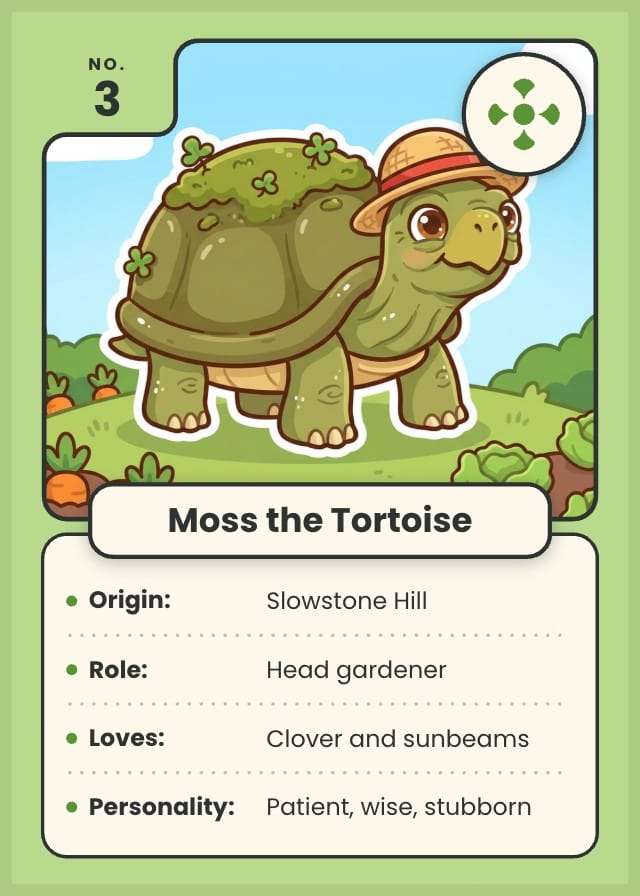
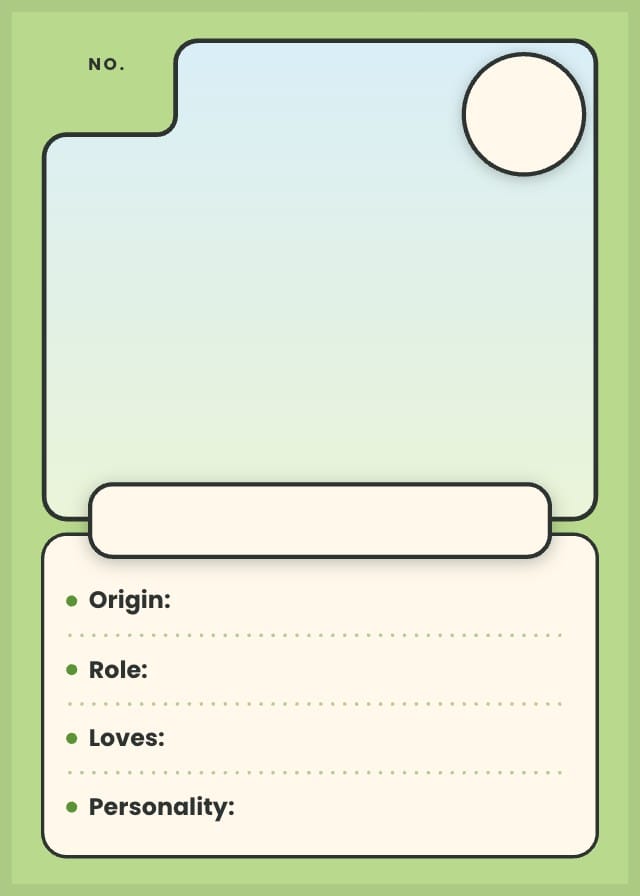
Read the twelve sample cards
| Name | Number | Origin | Role | Loves | Personality | Quote | Fun Fact | Strength | Signature Move | Colour |
|---|---|---|---|---|---|---|---|---|---|---|
| Bramble the Hedgehog | 1 | Under the old oak | Mapmaker | Blackberries, long naps | Curious, careful and kind | Meadow | ||||
| Juniper the Otter | 2 | Willow Bend river | Swimming teacher | Flat pebbles and floating | Playful, brave, chatty | Meadow | ||||
| Moss the Tortoise | 3 | Slowstone Hill | Head gardener | Clover and sunbeams | Patient, wise, stubborn | Meadow | ||||
| Nib the Snail | 4 | The garden wall | Village postmaster | Rain and new stamps | Slow, steady, never late | Meadow | ||||
| Clementine the Axolotl | 5 | Lotus Lake | Pond singer | Bubbles and lullabies | Dreamy, gentle and shy | Blossom | ||||
| Fig the Fennec Fox | 6 | The Copper Dunes | Night-sky guide | Figs, of course | Quick, clever, all ears | Blossom | ||||
| Cumulo the Cloudling | 7 | Just above the treetops | Weather apprentice | Kites, rainbows, puddles | Bubbly and forgetful | Blossom | ||||
| Pockets | 8 | Finders keepers! | Knows where every lost button in town ends up, and keeps a few. | Sneaking | The Midnight Snack | Meadow | ||||
| Quill | 9 | Let me check my notes. | Has read every book in the village library, some of them twice. | Memory | The Long Answer | Meadow | ||||
| Maple | 10 | Race you to the top! | Can fall asleep anywhere, even halfway up a tree in the rain. | Climbing | Tail Twirl | Meadow | ||||
| Rosalind | 11 | Balance is everything, darling. | Once stood on one leg from lunch until supper without a wobble. | Poise | The Pink Pirouette | Blossom | ||||
| Toffee | 12 | I only sneezed! | Toasts the marshmallows at every village bonfire, with one sneeze. | Warm hugs | The Hiccup Spark | Blossom |
How to make a character card
- Add the template to a project. It brings the Profile card and the Fact File in both colourways, the back, a column for every fact and the twelve sample characters.
- Give each character a row with a name, a number and a picture. For a Profile card, fill in Origin, Role, Loves and Personality, and pick an Emblem for the round badge.
- For a Fact File, fill in Fun Fact, then a Quote, a Strength and a Signature Move. A card with a Fun Fact moves to the Fact File by itself.
- Set Colour to Meadow for green or Blossom for pink. A card with no colour is green.
- To ask other questions, retype a label on the design (Origin to Species, say) and rename its column to match. Every card follows.
- Export a print PDF, nine cards to a sheet with the backs lined up for two-sided printing, or a PNG of each card to share.
Printing at poker size
Poker: 2.5 × 3.5 in, 63.5 × 88.9 mm, 750 × 1050 pixels at 300 DPI.
On the Hobby plan, export a print-ready PDF with bleed and cut lines. PNG and SVG come out at the same size, which is what Tabletop Simulator wants. On Indie, send it to a print-on-demand partner through Print & Ship.
A printer asks for an eighth of an inch of bleed on every edge on top of those numbers, so this card goes out as 825 × 1125. The export adds it. Let the artwork run into the bleed and keep the text inside the cut line, and nothing arrives trimmed.
More trading card templates for your own tcg
All trading card templates for your own tcg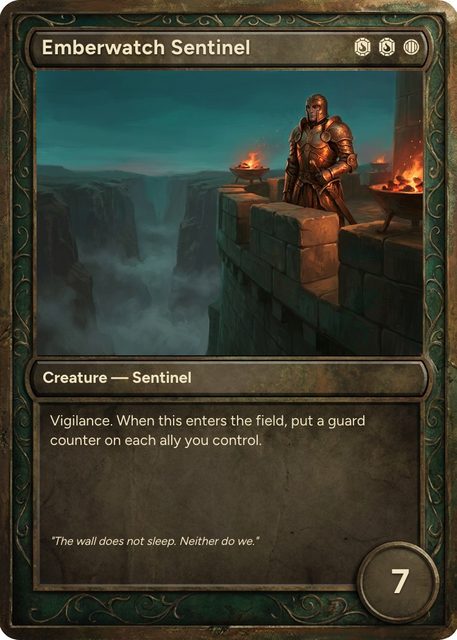
Questions about Whiskerton Character Card Template
Everything you need to know before getting started.
Still have questions? Contact us
What is an OC card template?
OC is short for original character, one you made up rather than one from a book or a show. An OC card shows one of them the way a trading card would: a picture, a name and a few facts. The Profile card is built for that. For an OC card that asks for Species, Age, Likes and Dislikes, retype the four labels on the design and rename the four columns to match.
What should go on a character profile card?
A picture, a name and three to five short facts that say who the character is at a glance: where they come from, what they do, what they love and what they're like. Keep each fact to a line or two. The Profile card has room for four, and the Fact File swaps them for a quote, a fun fact, a strength and a signature move.
Can I use it for animal fact cards or an about me card?
Yes. For animal fact cards, rename the facts to Habitat, Diet, Size and Lifespan and put a photo or a drawing of the animal in the window. For an about me card, use your own picture and answer the four lines about yourself, or rename them first. A class can make one each and swap them.
What happens when I add Whiskerton Character Card Template to a project?
The five designs, the 13 fields and the twelve sample cards are copied into a project of yours, with the fields already pointed at the design. Nothing stays linked to this page afterwards, so the author's later edits never reach your copy.
What size does Whiskerton Character Card Template print at?
Poker size: 2.5 × 3.5 in, 63.5 × 88.9 mm, 750 × 1050 pixels at 300 DPI. Those are the numbers to hand a print shop, and the ones to check a sleeve against.
Is Whiskerton Character Card Template free?
Yes. Adding it, editing it, filling it with your own cards and playtesting it online are all free. Exporting print files starts on the Hobby plan, and Print & Ship through The Game Crafter is on Indie. No template sits behind a paid plan.
Can I change the designs?
Yes. They land in your project as ordinary layouts, so you can drag an element somewhere else, put your own art behind the frame, restyle the type or rename a field. Edit a design once and every card on it follows.
Can I use my own cards instead of the samples?
Yes — the samples are rows in a sheet, and they are there to be overwritten. Type over them, add rows of your own, or bring a CSV and match its headers to the fields.
Can I sell character cards made with Whiskerton Character Card Template?
Yes. This one is ours, and you keep commercial rights to what you build from it, crowdfunding and retail included.
Ready to make your own character cards?
This template is free, and so is the editor it opens in.