ShuffleKit vs Magic Set Editor
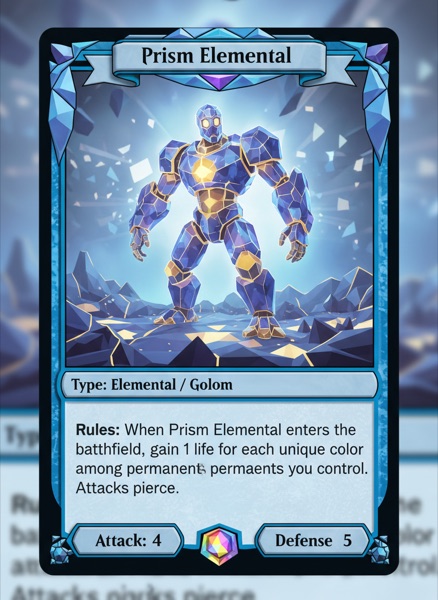
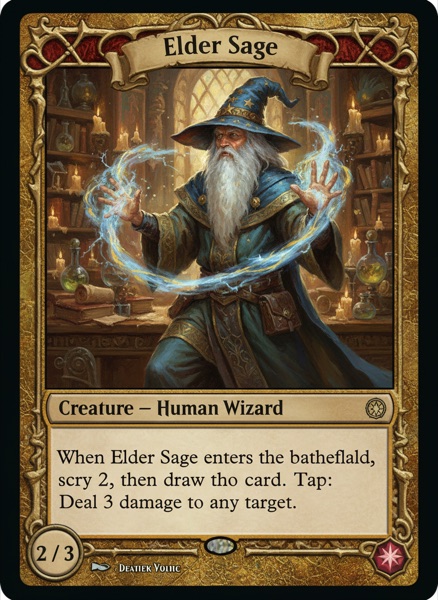
Magic Set Editor has been the custom-card workshop since the 2000s: free, offline, Windows-only, with thousands of community frames for Magic, Yu-Gi-Oh! and Pokémon. Those frames are what make it fun, and what stop you selling anything you make with them. ShuffleKit runs in a browser on whatever machine you own, and the designs belong to you.

- Platform
ShuffleKitBrowser-based, works on any device
Magic Set EditorWindows desktop; macOS via PlayOnMac or CrossOver, Linux via Wine
- Pricing
ShuffleKitFree plan; paid from $4/month billed yearly
Magic Set EditorFree and open source, GPL-2.0
- Selling what you make
ShuffleKitOriginal templates; your designs are yours to print and sell
Magic Set EditorCommunity frames are other publishers' trademarks; personal use and fan art only
When to choose ShuffleKit, when to stay with Magic Set Editor
Magic Set Editor does one job better than anything else: a custom Magic card that looks like it came out of a booster. The community frame library is enormous, the keyword scripting writes reminder text for you, and it costs nothing and runs offline forever. Nothing on this page replaces that. It is a fan-set tool, though. It runs natively on Windows only, the program's last stable release was in 2020, and MSE's own FAQ says cards built on community frames are for personal use and fan art. So if you are making your own game rather than a custom Magic set, you cannot sell what MSE makes.
Feature comparison
Side-by-side, no spin.
How we compared: Checked on 18 September 2026 against the Magic Set Editor project on GitHub — latest stable release 2.1.2, published 28 September 2020, repository last updated January 2023 — and against the magicseteditor.com community download hub, including its own FAQ on supported platforms and on selling cards made with community frames. ShuffleKit's limits come from our published plan configuration. Check Magic Set Editor directly, since software pricing changes.
Why designers switch
It opens on a Mac
No Wine, no CrossOver, no PlayOnMac, no borrowed PC. ShuffleKit runs in Safari, Chrome or any modern browser on macOS, Linux, Windows, iPad and Chromebook.
The set is yours to sell
ShuffleKit's templates are original and editable, so a finished deck can be crowdfunded, printed and sold. A set built on community Magic frames cannot be, and MSE says so itself.
Still being built
MSE's community keeps making frames, but the program's last stable release was in 2020; ShuffleKit ships changes every week and your project picks them up without a download.
AI drafts the set
Propose balanced cards against your own properties, generate art per card, rewrite rules text in bulk. MSE formats what you have already written yourself.
Playtest before you print
Share a link, your testers join, the session runs in the browser with full undo. No image export, no Tabletop Simulator licence, no Cockatrice setup.
From cards to a printed deck
ShuffleKit is an official Game Crafter integration partner. Click publish and get a real deck manufactured and shipped, boxes and tokens included.
Frequently asked questions
Everything you need to know before getting started.
Still have questions? Contact us
Other comparisons
Still weighing the options? These are the closest calls to this one.
- ShuffleKit vs nanDeckThe script-driven desktop classic since 2006, against a browser editor with AI, playtesting and print fulfillment built in.
- ShuffleKit vs Tabletop CreatorA $59 one-time desktop app for Windows and macOS, against a browser tool with AI, online playtesting and print on demand.
- ShuffleKit vs SquibKeep the deck in Ruby and git, or get the same data-driven cards without the code, plus playtesting and printing.
See for yourself
Start free. No credit card. Migrate when you're ready.